
Chaos Jenga Teleport Script
A draggable Chaos Jenga button that moves HumanoidRootPart toward the escape
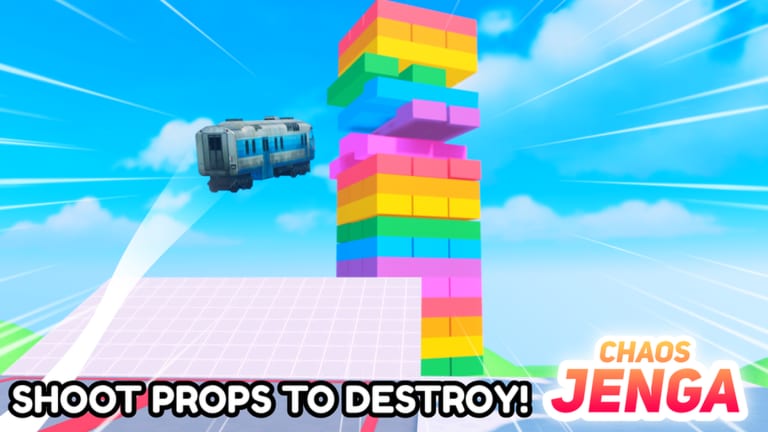
The teleport snippet that circulates for Chaos Jenga is a small ScreenGui, not a full menu. It parents a draggable Chaos Jenga TextButton to PlayerGui. Each click grabs the local character’s HumanoidRootPart and CFrames it, most often downward toward the bottom escape. That is the whole pitch: skip the ramps, skip the panic jump, land near the hole.
Do not run this on a real account if you care about the account. Third-party executors can get you banned. This page is informational so you can recognize the GUI and understand why it fails. Roblox Terms of Use still apply. The intended climb is documented in How to Escape, which is the route this snippet tries to delete.
What the GUI is trying to do
Chaos Jenga maps (Classic, Moon, Volcano, Winter) stand a tall block tower over a dark hole. Survivors win by lasting the timer or reaching that hole. The teleport button short-circuits the second win condition: instead of reading gaps and ramps, it yanks HumanoidRootPart toward a lower Y. Some copies hard-code a world position; others subtract a large Y offset from your current slab so you fall “through” the tower and hope to land in the escape volume.
That hope is why people search it after a slow descent or after an Attacker camps the only safe ledge. It is also why the same button throws people into the void on Moon, where jump feel already differs from Classic. A legal alternative is better camera work from the controls guide plus a map vote informed by the map tier list.
The related Win Button Script is a different idea: it does not guess a lower Y, it looks for workspace.Button. If you only care about identifying which GUI you just saw in a video, teleport has the draggable Chaos Jenga label; the win family is a green WIN label.
Illustrative community pattern
The public pattern looks like this. It is a sketch of the ScreenGui plus a HumanoidRootPart CFrame, not a supported tool:
local player = game:GetService("Players").LocalPlayer
local gui = Instance.new("ScreenGui")
gui.ResetOnSpawn = false
gui.Parent = player:WaitForChild("PlayerGui")

local btn = Instance.new("TextButton")
btn.Text = "Chaos Jenga"
btn.Size = UDim2.fromOffset(150, 40)
btn.Position = UDim2.fromScale(0.02, 0.45)
btn.Active = true
btn.Draggable = true
btn.Parent = gui

btn.MouseButton1Click:Connect(function()
  local root = player.Character and player.Character:FindFirstChild("HumanoidRootPart")
  if not root then return end
  -- community copies usually drop toward the bottom escape
  root.CFrame = CFrame.new(root.Position.X, root.Position.Y - 80, root.Position.Z)
end)
Broader “Jenga hub” loaders that add anti-void on top of this idea are listed on the Scripts Hub. Those pastebin loadstring lines are the same ban category.
Risks: void, anti-teleport, ban
- Void. A fixed Y offset that works on Classic can overshoot on Volcano or Winter and delete you. There is no undo. You wait for the next round in a 24-player server.
- Wrong map geometry. Moon changes jump feel; a teleport aimed at Classic’s hole can bury you inside a block or drop you off the island.
- Anti-teleport. If the place later sanity-checks position, the CFrame either rubber-bands you back or flags the session. Do not assume an old snippet still matches the live physics.
- Ban. Injecting a GUI is the policy problem, not the button color. Perhaps Studios did not ship this tool. Using an executor is on you.
- Round integrity. Even if the CFrame “works,” you skipped the skill the Survivor role is built on. The attacker still throws props; you just stopped playing the same game.
If the button does nothing, you probably fired it before Character existed, or the map instance has no safe lower Y. Spamming clicks while falling often CFrames you into emptiness faster.
Use the real escape instead
Stand on a stable slab, find the dark hole, and plan a downward path before the first train. The role checklist puts hole location before panic movement. Getting Started and How to Survive cover when to stay high versus when to commit to the drop. Codes will not help; the Codes Hub is empty.
A teleport GUI is a guess at a lower Y, not a map of the hole. If the CFrame misses, you void. If it hits, you skipped the climb How to Escape is written to teach. Identify the draggable Chaos Jenga button so you are not confused when a video pops it over your HUD, then play the live round without the injector.
Frequently Asked Questions
Quick answers for Chaos Jenga on Roblox.
What does the Chaos Jenga teleport button actually move?
It CFrames the local HumanoidRootPart, usually downward toward the escape, from a draggable ScreenGui button.
Can teleporting ban my account?
Using a third-party executor can get the account banned. This wiki is informational; Roblox Terms of Use still apply.
Why do some teleports dump me into the void?
The snippet guesses a lower Y. Classic, Moon, Volcano, and Winter do not share the same safe height, so the guess overshoots.
How is this different from the win button?
Teleport guesses a position. The win button tries to CFrame you to workspace.Button when that part exists.
What is the legitimate way to reach the bottom?
Climb down using the route in How to Escape. Use controls for camera and movement.